Open Settings by tapping your name at the bottom of the side menu. On a tablet, with the narrow menu, it's your avatar. On a phone, More → Settings.
If your trial has expired and you don't have a plan, you'll only see My plan.
Your profile
Your personal details. With Edit you can change all of them except your email:
- name;
- education level;
- year (in primary, secondary, sixth form and university);
- oposición (for oposiciones, Spanish civil-service exams);
- birth year;
- city where you study, province and school;
- degree or qualification (for university and oposiciones).
Anything you haven't told us shows as Not specified.
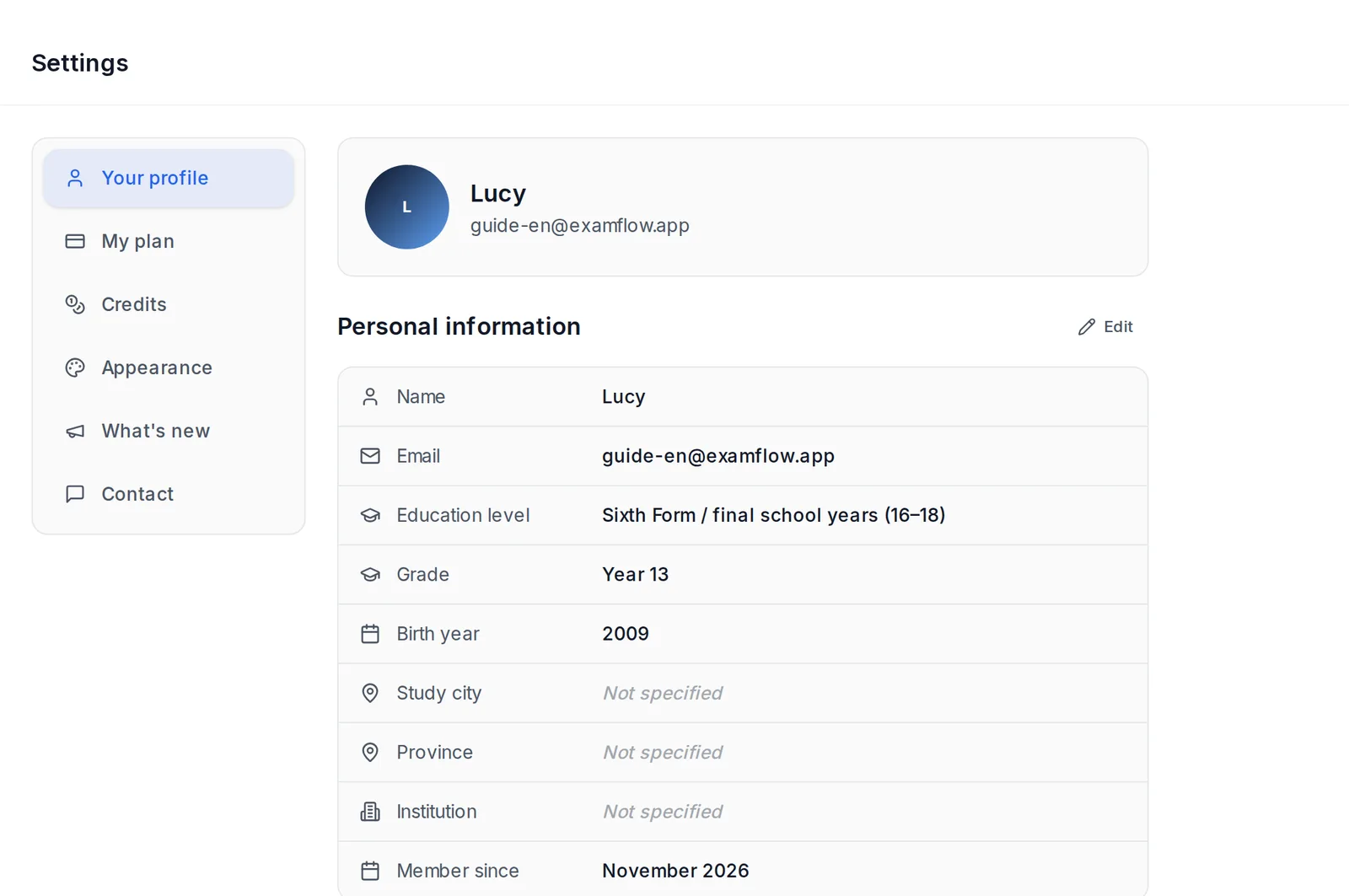 Settings, Your profile: the section menu on the left and your personal information
My plan
This is where you buy credits: the Express pack, or a Study or Intensive subscription. If you have a discount code, you enter it here.
If you already have a plan, Manage subscription lets you cancel it, change your card or download invoices. To switch to another plan, subscribe to the new one from this same screen. More in Credits and plans.
Credits
How many credits you have left, when they renew or expire and what you've spent them on. Also your charge history and the table of what everything costs.
Appearance
- Your AI Teacher: who grades your written exams, practical exercises and Recite topics. You can choose from six: Clara, Alex, Marcus, Nova, Leon and Sofia. Each one shows the age it's designed for. It changes the tone of the comments, never the score.
- Correction language: choose between The app language (it grades you in Spanish or English) and The language of each exam (if you study in Catalan, Basque or another language, it grades you in that one). It applies to everything the teacher writes to you after an exam: grading, Recite topics, the teacher review and "Explain what I got wrong". It takes effect from the next grading. Questions always come out in the language of your material.
- The Summary voice used to read summaries aloud. Tap Preview to hear it first and Stop to cut it off. The voices depend on the language. Changing it only affects new audio.
- In primary, also: the color theme, the avatar and Fun or Serious mode.
What's new
The full history of changes to the app.
The latest ones also appear in the megaphone: at the bottom of the side menu on a computer, at the top on a phone. A dot tells you there's something unread.
Contact
- A link to this guide, in case your question is how to do something.
- The form to write to support.
- My tickets, with the replies we've sent you.
Language
The app is available in Spanish and English. You change the language at the bottom of the side menu, next to your balance. On a tablet, with the narrow menu, it's the button with the other language.
If your browser is set to the other language, a banner at the top of Home lets you switch with one tap. It also appears when you sign in and sign up. If you close it, it won't appear again in that browser.
Your material can be in any language. Exams, summaries and flashcards come out in the material's language. Grading comes out in the one you choose in Correction language.
Changing your education level
In Your profile → Edit, under Education level.
Changing it clears your year, because it belongs to your old level, and you can pick the new one. For oposiciones it asks which one.
What you've already created stays as it is. New content and grading match your new level. If you pay for a subscription, its price doesn't change.
Deleting your account
Write to info@examflow.app from your account's email address, or use Contact, and we'll delete it.
Your data, your documents and everything you've generated are deleted for good. This can't be undone.
Signing out
At the bottom of the side menu.
For security, in the browser your session closes on its own after 30 minutes without use. This doesn't happen if you use ExamFlow as an app, from the icon on your home screen.
Minors
A minor's account is taken out by their father, mother or guardian.